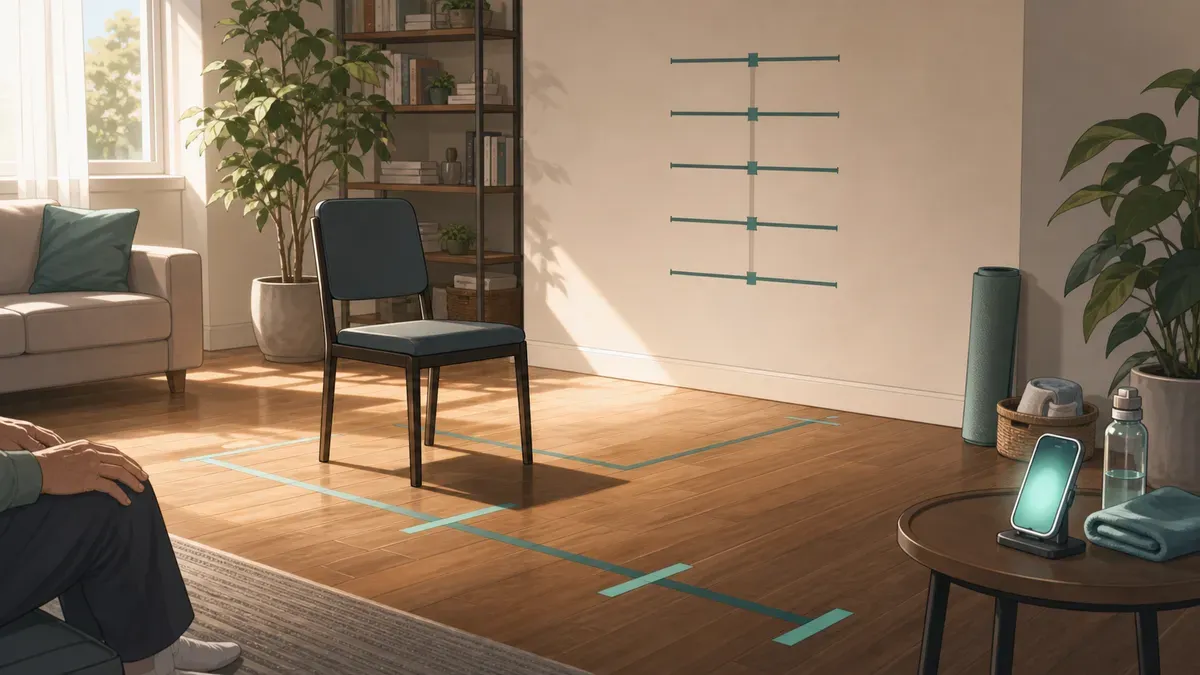
Mobility screen after 50: what to test at home
Mobility screen after 50 checklist: use simple home tests for gait speed, chair stands, balance, ankle mobility, shoulders, and floor transfers.
A mobility screen after 50 should answer one practical question: Can your body still move through the positions daily life demands, with enough strength, balance, and control to stay independent?
Fear itself is part of the mobility picture; when testing feels unsafe, use a graded fear of falling after 60 plan before forcing harder screens.
You do not need a lab to get a useful first answer. A chair, a wall, a tape measure, a timer, and a clear walkway can reveal a lot about lower-body power, balance, gait speed, ankle mobility, shoulder reach, and floor-transfer confidence.
This guide is not a diagnosis and it is not a substitute for a physical therapist, physician, or fall-risk evaluation. It is a structured home checklist. Use it to find weak links, track whether training is working, and decide when a professional assessment makes sense.
If you want the theory behind range of motion, start with flexibility vs mobility for healthy aging. This article is narrower: what to test at home after 50.
Key takeaways:
- Mobility is not just stretching. A good screen combines range of motion, strength, balance, gait, and control.
- Start with safe tests: chair stand, comfortable walking speed, single-leg or staged balance, timed up and go, ankle dorsiflexion, shoulder reach, and floor transfer if safe.
- Repeat the same setup every 8-12 weeks, not every day. Trends matter more than one score.
- Do not test through pain, dizziness, chest symptoms, new weakness, or unsafe balance. Stop and get help.
- The biggest red flag is a cluster: slow gait, poor chair-stand performance, unstable balance, and fear of movement together matter more than one stiff joint.
- SuperAge can pair home tests with passive Apple Health mobility trends, so you can see whether daily walking data matches your manual screen.
Quick safety check before you test
Do not run a home mobility screen if any of these apply today:
- chest pain, unusual shortness of breath, faintness, or dizziness
- new one-sided weakness, numbness, facial droop, or speech change
- recent fall with pain, swelling, or head impact
- fever, acute illness, or severe fatigue
- sharp joint pain that changes how you move
- recent surgery or medical restriction
- you cannot safely stand without support
If balance is uncertain, test with another person present and set up near a stable counter, wall, or rail. Do not use a rolling chair, unstable surface, slippery socks, or a cluttered room.
The goal is information, not heroics. A test that creates a fall risk is the wrong test.
The 7-test home mobility screen
Use this as a simple quarterly or 8-12 week screen.
| Test | What it checks | Equipment | Stop if |
|---|---|---|---|
| 30-second chair stand | Lower-body strength and power | Chair, timer | Knee/hip pain, dizziness |
| Comfortable gait speed | Integrated mobility and functional reserve | Tape, timer | Unsafe walking or shortness of breath |
| Timed up and go | Sit-to-stand, turning, gait, balance | Chair, 10 ft (3 m) walkway | Need to grab furniture |
| Single-leg or staged balance | Static balance and fall-risk signal | Wall or counter nearby | Loss of control |
| Ankle knee-to-wall | Ankle dorsiflexion for walking, stairs, squats | Wall, ruler | Pinching pain |
| Shoulder reach | Shoulder and upper-back mobility | None or tape | Sharp shoulder pain |
| Floor transfer | Whole-body mobility and confidence | Clear floor, support nearby | Unsafe descent or ascent |
You do not need to max every test. Record clean, repeatable results. If a test feels unsafe, write “not tested safely” instead of forcing a number.
Test 1: 30-second chair stand
The 30-second chair stand is one of the most useful home tests because it captures lower-body strength, power, balance, and confidence in a single task.
How to do it
- Use a stable chair around 17 in (43 cm) high.
- Place it against a wall so it cannot slide.
- Sit with feet flat, arms crossed over the chest.
- Start the timer and stand fully, then sit fully.
- Count complete repetitions in 30 seconds.
Do not bounce off the chair. Do not count partial stands.
What to watch
Compare your score with age and sex norms using the 30-second chair stand test guide. As a rough screen, adults in their 60s often score in the low-to-high teens, while scores under 8-10 after age 60 deserve attention, especially if they are declining.
This test is not just “leg strength.” A low score can reflect hip mobility, ankle mobility, balance, pain, fear, cardiovascular fatigue, or undertraining. If chair stand is poor but walking speed is normal, the issue may be trainable lower-body strength. If both are poor, the mobility problem is broader.
For that exact comparison, use sit-to-stand test vs gait speed.
Test 2: comfortable gait speed
Walking speed is often called a functional vital sign because it reflects multiple systems at once: strength, balance, aerobic capacity, nervous system control, vision, pain, and confidence.
How to do it
- Mark a 13 ft (4 m) middle zone.
- Add several feet before and after for acceleration and slowing down.
- Walk at your normal comfortable pace.
- Time only the middle 13 ft (4 m).
- Repeat twice and use the better clean trial.
Calculate speed:
speed = distance / time
Example: 13 ft in 4 seconds = 3.25 ft/s. In metric, 4 m in 4 seconds = 1.0 m/s.
What to watch
A comfortable gait speed below about 2.6 ft/s (0.8 m/s) is often treated as clinically slow in older adult research and should be interpreted with age, height, pain, and health context. A speed above 3.3 ft/s (1.0 m/s) is commonly reassuring for many adults 65+.
For a deeper interpretation, use the walking speed and aging guide.
If you use an iPhone or Apple Watch, compare this home test with your passive Apple Health mobility metrics. The home test is controlled. Apple Health shows what you do in daily life.
Test 3: timed up and go
Timed up and go (TUG) is a compact mobility screen: stand from a chair, walk, turn, return, and sit. It captures transitions and turning, not just straight-line speed.
How to do it
- Use a stable chair.
- Mark a line 10 ft (3 m) away.
- Start seated with your back against the chair.
- On “go,” stand, walk to the line, turn, walk back, and sit.
- Time from “go” until you are seated again.
Use your normal footwear. Use an assistive device if you normally use one, and record that.
What to watch
CDC STEADI materials commonly use 12 seconds or more as a fall-risk flag for older adults. That threshold is not a diagnosis, but it is a strong reason to look at strength, balance, vision, medications, dizziness, and the home environment.
If your TUG is slow but straight walking speed is okay, turning, chair rise, or confidence may be the limiting factor. Use the timed up and go test guide for a deeper protocol.
Test 4: balance screen
Balance should be tested safely. If you are unsure, use the staged version instead of jumping straight to single-leg stance.
Option A: staged stance
Stand near a counter and try to hold each position for up to 10 seconds:
- feet side by side
- semi-tandem stance: one foot slightly ahead
- tandem stance: heel-to-toe
- single-leg stance
If you cannot hold tandem stance for 10 seconds, do not force single-leg testing without support nearby.
Option B: single-leg balance
- Stand near a stable support.
- Lift one foot without touching the standing leg.
- Keep eyes open.
- Time the clean hold, up to 60 seconds.
- Test both sides.
What to watch
The common headline is the 10-second single-leg test after 50, but the context matters. A poor result can reflect ankle mobility, hip strength, vestibular function, vision, foot pain, fear of falling, medication effects, or neurological issues.
Use the full single-leg balance test guide for age-based interpretation. If you are choosing between static balance and a dynamic mobility test, compare single-leg balance vs timed up and go.
Test 5: ankle knee-to-wall
Ankle dorsiflexion is easy to ignore until it limits stairs, squats, walking stride, and balance. Reduced ankle mobility can shorten step length, make stairs feel harder, and push the knee/hip into compensations.
How to do it
- Stand facing a wall.
- Put one foot a few inches from the wall.
- Keeping the heel down, bend the knee toward the wall.
- Move the foot back until you find the farthest distance where the knee can touch the wall without the heel lifting.
- Measure toe-to-wall distance.
Test both sides.
What to watch
There is no single universal cutoff, but a side-to-side difference matters. If one ankle is clearly more limited, if the heel lifts early, or if the movement pinches at the front of the ankle, that can affect walking, squatting, and stair mechanics.
Pair this with step length and stair data when available. SuperAge users can watch whether ankle and calf training eventually improves walking speed, step length, and stair metrics.
Test 6: shoulder reach and upper-back mobility
Mobility after 50 is not only lower body. Shoulder and upper-back mobility affect dressing, reaching shelves, carrying, swimming, lifting, and fall recovery.
How to do it
Use two simple screens:
Overhead reach
- Stand tall with ribs down.
- Raise both arms overhead.
- Watch whether you can reach near vertical without arching the lower back or shrugging hard.
Behind-back reach
- Reach one hand over the shoulder and down the back.
- Reach the other hand behind the lower back and up.
- Note the gap between fingers.
- Test both sides.
What to watch
Side-to-side differences matter more than perfect range. Painful pinching, night pain, weakness, or sudden loss of range deserves clinical evaluation. Stiffness without pain can often improve with thoracic extension work, shoulder external rotation strength, and gradual overhead loading.
Test 7: floor transfer
Getting down to the floor and back up is a powerful real-world test. It combines hip, ankle, knee, trunk, shoulder, balance, and confidence.
Do this only if safe.
How to do it
- Clear the floor and place a stable chair or couch nearby.
- Lower to the floor using as little support as safely possible.
- Return to standing.
- Record how many supports you used: hand, knee, chair, forearm, or both hands.
You do not need to use the strict sitting-rising test score unless you are confident and pain-free. For many people after 50, the useful screen is simpler: can you get down and up safely, and is it changing?
What to watch
If you avoid the floor entirely, need multiple supports, or feel afraid of getting stuck, treat that as actionable. It may reflect hip mobility, leg strength, trunk control, balance, or confidence. It is also highly trainable when progressed safely.
How to score your screen
Do not average everything into one fake score. Use a traffic-light system.
| Result | Meaning | Next step |
|---|---|---|
| Green | Safe and stable, no meaningful decline | Retest in 8-12 weeks |
| Yellow | Mild limitation or one weak test | Add targeted work and retest |
| Orange | Two or more weak tests or clear decline | Reduce risk, train the weak link, consider professional assessment |
| Red | Unsafe balance, pain, dizziness, neurological symptoms, or recent fall | Stop testing and seek clinical guidance |
The most important pattern is not “tight hamstrings.” It is whether mobility limitations are starting to affect function: chair rise, gait speed, turning, stairs, balance, and floor transfers.
How often should you repeat a mobility screen?
For most adults after 50:
- full screen every 8-12 weeks
- quick chair stand and balance check monthly if actively training
- Apple Health mobility trends weekly or monthly
- retest after injury, illness, surgery, or a major training change
Avoid daily testing. It creates noise and can make you chase tiny changes. The goal is a stable trend across months.
If you want a broader cadence for functional testing, use the guide to functional fitness tests every 6 months after 40.
What to do with weak results
Match the intervention to the weak link.
| Weak test | Likely focus |
|---|---|
| Chair stand | Squats, step-ups, leg press, sit-to-stand practice |
| Gait speed | Walking program, lower-body strength, aerobic base, step length |
| TUG | Sit-to-stand strength, turning practice, balance, confidence |
| Balance | Single-leg progressions, foot/ankle strength, vision/vestibular review if needed |
| Ankle knee-to-wall | Calf mobility, ankle dorsiflexion, controlled step-downs |
| Shoulder reach | Thoracic extension, rotator cuff strength, overhead progression |
| Floor transfer | Split-squat patterns, hip mobility, supported floor practice |
Train gently enough to repeat. Mobility work fails when it becomes random stretching or aggressive pain tolerance. A useful plan combines strength, control, and enough range to support real movement.
For a short practice that brings those elements together, use the postural exercises routine between screening days rather than repeating the tests as a workout.
How SuperAge helps you track mobility after 50
Home tests are snapshots. Daily mobility data is the trend. SuperAge helps connect both.
The app reads relevant Apple Health and Apple Watch signals such as walking speed, step length, walking steadiness, stair speed, activity, heart-rate trends, recovery, and body composition when available. Those signals do not replace a chair stand or TUG test, but they show whether your daily movement is changing between formal screens.
For example:
- a better chair stand score plus stable walking speed suggests lower-body strength is improving before gait changes
- slower walking speed plus worse balance suggests mobility is affecting real-world confidence
- improved stair metrics after ankle and strength work suggests the intervention is reaching daily function
- low recovery or poor sleep can explain a weak test day without overinterpreting it
This is the right way to use a mobility screen after 50: test specific abilities at home, then compare them with the passive data your body produces every day.
FAQ
What is the best mobility test after 50?
There is no single best test. Start with chair stand, gait speed, timed up and go, and a safe balance test. Together they capture strength, walking, turning, and stability. Add ankle, shoulder, and floor-transfer tests to find specific movement restrictions.
Is mobility the same as flexibility?
No. Flexibility is passive range of motion. Mobility is active, controlled range you can use. A person can be flexible but unstable, or stiff but strong within the range they have. For the full distinction, read flexibility vs mobility.
How often should I do a mobility screen?
Every 8-12 weeks is enough for most people. Retest sooner after injury, illness, surgery, or a new training block. If you test too often, daily noise can hide the real trend.
What if one side is much worse?
A side-to-side difference is useful information. It can reflect old injury, pain avoidance, balance differences, or strength asymmetry. If the difference is new, painful, or worsening, get evaluated.
Should I stretch before testing?
Use a light warm-up, such as easy walking and gentle joint motion. Do not do aggressive stretching before the test, because it changes the measurement and makes retests less comparable.
When should I see a physical therapist?
Consider evaluation if you have repeated falls, fear of falling, unsafe balance, pain that changes movement, TUG above 12 seconds, rapidly declining walking speed, or inability to get up from a chair without using your arms.
Key takeaways
- A mobility screen after 50 should test usable movement, not just flexibility.
- Use a chair, walkway, wall, timer, and safe support to test strength, gait, balance, ankle, shoulder, and floor-transfer ability.
- Stop if symptoms, pain, dizziness, or unsafe balance appear.
- Track trends every 8-12 weeks and pair manual tests with Apple Health mobility data.
- Treat weak links as training targets, not identity labels.
References
- CDC STEADI. Clinical resources and fall-risk assessment tools, including Timed Up and Go, 30-Second Chair Stand, and balance testing. https://www.cdc.gov/steadi/hcp/clinical-resources/index.html
- CDC STEADI. Timed Up & Go assessment. https://www.cdc.gov/steadi/media/pdfs/STEADI-Assessment-TUG-508.pdf
- American Physical Therapy Association. 30-Second Chair Stand Test. https://www.apta.org/patient-care/evidence-based-practice-resources/test-measures/30-second-chair-stand-test
- Studenski S, Perera S, Patel K, et al. Gait speed and survival in older adults. JAMA. 2011;305(1):50-58. https://pubmed.ncbi.nlm.nih.gov/21205966/
- Middleton A, Fritz SL, Lusardi M. Walking speed: the functional vital sign. Journal of Aging and Physical Activity. 2015;23(2):314-322. https://pubmed.ncbi.nlm.nih.gov/24812254/
- Centers for Disease Control and Prevention. Older Adult Activity: An Overview. Updated Dec. 4, 2025. https://www.cdc.gov/physical-activity-basics/guidelines/older-adults.html
Related Articles

Fear of falling after 60: how to rebuild confidence safely
Fear of falling after 60 can shrink activity and raise fall risk. Learn a safe confidence plan using balance, strength, exposure, and tracking.

