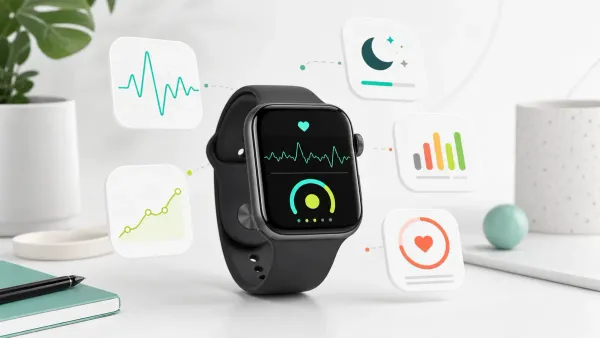
Overtraining: The signs your Apple Watch can (and can't) detect
Learn how to recognize overtraining using HRV, resting heart rate, and other data from your Apple Watch. Complete guide to the signals you should monitor.
You’re training consistently, but your performance is declining. You sleep 8 hours, yet you wake up tired. Your body seems to be sabotaging the very efforts you’re making to improve it.
It could be overtraining — and your Apple Watch already has the data to help you discover it.
Overtraining syndrome (OTS) is often reported in 20% to 60% of athletes across a career, with some youth-athlete cohorts around 30%. But the true rate is hard to pin down because OTS has no gold-standard diagnostic test and must be diagnosed by exclusion. It’s not a matter of weakness: it’s the result of accumulated training, life, metabolic, and psychological stress without adequate recovery. Your Apple Watch cannot diagnose it, but it can reveal stress-recovery trends before the pattern feels obvious.
In this guide you’ll discover exactly which metrics from your smartwatch can indicate overtraining, which ones are misleading, and how to correctly interpret your body’s signals.
In this article:
- What is overtraining and why it’s different from normal fatigue
- The 5 signs Apple Watch can detect
- The limitations: what your watch CAN’T tell you
- How to interpret the data correctly
- Prevention: the role of Training Load
- How SuperAge helps you avoid overtraining
- Frequently asked questions
What is overtraining and why it’s different from normal fatigue
Overtraining isn’t simply “being tired after a hard workout.” It’s a recognized clinical syndrome characterized by a persistent decline in performance after an ongoing imbalance between training load, non-training stress, and recovery.
Scientific definition: Overtraining syndrome (OTS) is a long-term performance decrement after training and non-training stress exceed recovery capacity, with symptoms that can involve multiple physiological systems.
The difference between fatigue, overreaching, and overtraining
| Condition | Recovery Duration | Symptoms | Performance Impact |
|---|---|---|---|
| Normal fatigue | 24-72 hours | Muscle tiredness, deep sleep | Temporary, quick recovery |
| Functional Overreaching | 1-2 weeks | Performance drop, mild irritability | Supercompensation after rest |
| Non-Functional Overreaching | 2-8 weeks | Declining performance, sleep disturbances | Prolonged stagnation |
| Overtraining Syndrome (OTS) | Months or years | Severe multisystem symptoms | Persistent decline |
Why it happens
OTS isn’t caused only by training. It’s the result of accumulated all stresses:
- Physical stress: Excessive training volume and intensity
- Metabolic stress: Caloric deficit, dehydration, nutritional deficiencies
- Psychological stress: Work, relationships, performance anxiety
- Environmental stress: Jet lag, extreme heat/cold, altitude
When the total load exceeds recovery capacity for a prolonged period, the body’s systems begin to fail. This cumulative imbalance is precisely what the resilience score quantifies over a 14-day window — making it an early warning system for the overtraining trajectory before symptoms become obvious.
The 5 signs Apple Watch can detect
Your Apple Watch constantly monitors several parameters that change significantly in case of overtraining. Here are the most reliable ones.
1. Increased resting heart rate (RHR)
Resting heart rate is one of the most sensitive markers of accumulated physical stress. A persistent increase of 5-10 bpm (beats per minute) above your baseline can indicate that the body isn’t recovering.
What to look for:
- Gradual RHR increase over multiple days
- Morning RHR higher than usual for 3+ consecutive days
- Difficulty returning to normal values even after rest days
Scientific evidence: Classic and more recent research consistently documents RHR increases of 5-10 bpm in overtrained athletes — a meaningful shift that wearables can detect. However, a 2025 narrative review notes that resting HR changes in overtraining are often small relative to day-to-day variability, which is why a persistent multi-day trend matters more than any single elevated reading.
How Apple Watch measures it: The watch records heart rate continuously and calculates RHR during periods of inactivity and sleep.
2. Decreased heart rate variability (HRV)
HRV measures the variation in time intervals between heartbeats. High HRV indicates a flexible and resilient autonomic nervous system. An HRV drop is often the first sign of accumulated stress.
What to look for:
- HRV dropping below your personal average for multiple days
- Persistent negative trend over the last 1-2 weeks
- HRV not rising after recovery days
Why it works: HRV reflects the balance between the sympathetic nervous system (stress) and parasympathetic (recovery). Overtraining keeps the system in “stress” mode even at rest. Among HRV metrics, RMSSD (root mean square of successive differences) is considered the most practical for athlete monitoring: it strongly reflects parasympathetic activity, remains reliable in ultra-short 1-minute recordings, and is less sensitive to breathing variations than frequency-domain metrics.
Apple Watch metric note: Apple Health generally reports HRV as SDNN, while many sports-science recommendations use RMSSD. Both can show useful direction-of-travel trends, but don’t compare your Apple Watch SDNN number directly with RMSSD thresholds from athlete-monitoring studies.
Advanced signal: A December 2025 narrative review identified the HRV coefficient of variation (CV) — how stable your HRV is over time, not just its level — as an emerging early-warning sign. A declining weekly mean RMSSD combined with rising CV over several weeks may signal chronic maladaptation before performance collapses.
Caution: A 2025 validation study across 536 nights found that among consumer wearables tested against ECG, Oura Gen 4 has near-clinical HRV accuracy (CCC 0.99) and WHOOP 4.0 shows acceptable agreement (CCC 0.94); Apple Watch was not included in that study. A separate April 2025 study of 78 adults found Apple Watch Series 6 achieves good accuracy for R-R intervals at rest (MAPE 1.15%), but accuracy degrades meaningfully during and after activity. A more recent 2024–2025 evaluation of Apple Watch Series 9 and Ultra 2 against the Polar H10 chest strap found that Apple Watch tended to underestimate HRV by an average of 8.31 ms (mean absolute percentage error: 28.88%), even though resting heart rate measurements remained accurate. The key takeaway: use Apple Watch HRV for trend monitoring against your personal baseline, not as an absolute clinical value — and especially not for comparing your numbers to those of someone using a chest-strap or Oura/WHOOP device.
3. Slowed heart rate recovery (HRR)
Heart rate recovery measures how quickly heart rate drops after exercise. A healthy heart “slows down” quickly; a stressed body struggles to return to normal.
What to look for:
- Heart rate recovery slower than usual after similar workouts
- Heart rate remains elevated longer post-workout
- The 1-minute recovery value is below your average
How Apple Watch measures it: After each workout, the Workout app monitors HR for 3 minutes and calculates the recovery rate.
4. Decreased estimated VO2 Max
VO2 Max is the body’s maximum capacity to use oxygen during exercise. An unexplained drop can indicate that the body isn’t adapting positively to training.
What to look for:
- VO2 Max declining despite consistent training
- Prolonged stagnation (weeks) without improvements
- Perceived performance worse at equal effort
Limitations: The estimated VO2 Max from Apple Watch is an approximation based on heart rate and speed. Many external factors (heat, altitude, terrain) influence it. A single low value means nothing — look at the trend.
5. Worsening sleep quality
Overtraining disturbs sleep in specific ways: difficulty falling asleep, nighttime awakenings, non-restorative sleep. Apple Watch tracks these patterns.
What to look for:
- Reduced time in deep sleep
- Increased nighttime awakenings
- Higher than usual nighttime RHR
- Waking up tired despite sufficient sleep hours
Why it happens: Overtraining keeps cortisol and adrenaline levels elevated, interfering with natural sleep cycles. High-frequency HIIT is one of the most common culprits — learn how to balance it with steady-state work in our guide on HIIT vs steady-state cardio.
The limitations: what your watch CAN’T tell you
It’s fundamental to understand what Apple Watch cannot detect. Overtraining is a complex syndrome involving systems that no smartwatch can monitor.
Signals invisible to the watch
Hormonal imbalances:
- Chronically elevated cortisol
- Reduced testosterone (in men)
- Altered thyroid hormones
- Menstrual irregularities (in women)
Inflammatory markers:
- Elevated C-reactive protein
- Pro-inflammatory interleukins
- Creatine kinase (muscle damage)
Psychological symptoms:
- Depression and apathy
- Irritability and mood swings
- Loss of motivation for training
- Performance anxiety
Systemic symptoms:
- Recurring infections (compromised immune system)
- Gastrointestinal problems
- Loss of appetite or excessive hunger
- Persistent muscle and joint pain
For the non-watch warning signs that often show up before full OTS, see the broader guide to 7 overtraining signs from your body.
The diagnosis problem
“There is no single test that can confirm overtraining syndrome with certainty. The diagnosis is clinical and based on the patient’s history.” — European College of Sports Science
Overtraining is diagnosed by exclusion: other causes of fatigue and performance decline (anemia, infections, thyroid problems, etc.) are ruled out before arriving at the diagnosis.
Watch data is one piece of the puzzle, not the complete puzzle.
How to interpret the data correctly
Numbers alone mean nothing. Here’s how to read them in the right context.
The rule of trends, not single values
A single day with low HRV or high RHR can mean:
- You had a glass of wine yesterday
- You’re incubating a cold
- You slept poorly for random reasons
- The sensor had a glitch
It becomes significant when:
- The pattern persists for 3-5+ days
- The trend is clearly negative over 1-2 weeks
- Values don’t return to normal after 2-3 days of rest
Know your baseline
“Normal” values vary enormously from person to person. An HRV of 35ms can be excellent for a 55-year-old and concerning for a 25-year-old.
How to establish your baseline:
- Collect data for at least 2-4 weeks under normal conditions
- Calculate your average and typical variation
- Consider “anomalous” what deviates significantly from YOUR average
Context is everything
Before concluding “I’m overtrained,” ask yourself:
- Recent training: Did you do intense training in the last 24-48 hours?
- Sleep: Did you sleep less or worse than usual?
- Nutrition: Are you in a caloric deficit? Did you eat late?
- Alcohol/caffeine: Did you drink in the last 48 hours?
- Mental stress: Is something worrying you?
- Health: Could you be sick?
If you can explain the data with one of these factors, it’s probably not overtraining.
Prevention: the role of Training Load
The key to avoiding overtraining is balancing load and recovery. The concept of Training Load is fundamental.
Apple Watch native signals (current in 2026): Training Load, introduced with watchOS 11, compares the intensity and duration of your workouts over the last 7 days against the previous 28 days and classifies the strain as well below, below, steady, above, or well above your baseline. After each workout you can rate perceived effort, which feeds the calculation alongside duration and workout data. The Vitals app tracks overnight heart rate, respiratory rate, wrist temperature, blood oxygen where available, and sleep duration, then flags when multiple metrics are outside your typical range. watchOS 26 added Sleep Score, a 0–100 metric weighting duration (50 points), bedtime consistency (30 points), and interruptions (20 points), classified from Very Low to Very High.
The classic overtraining pattern on Apple Watch: Training Load classified “Above” or “Well Above” your 28-day baseline for several days in a row, combined with Vitals outliers on two or more metrics and a declining Sleep Score, is the strongest native signal Apple gives you. None of these features alone diagnose overtraining — but when they line up over 5–7 days, treat it as a warning.
Important caveat: Apple Watch tracks every input needed for a recovery score (HRV, RHR, sleep stages, training load, wrist temperature) but does not combine them natively into a single recovery readiness number. You need a companion app to do that integration.
ATL, CTL, and TSB: the metrics that matter
ATL (Acute Training Load)
- Average load of the last 7 days
- Represents recent “fatigue”
CTL (Chronic Training Load)
- Average load of the last 42 days
- Represents “fitness” built over time
TSB (Training Stress Balance)
- TSB = CTL - ATL
- Indicates how “fresh” or “fatigued” you are
How to interpret TSB
| TSB | Status | Meaning |
|---|---|---|
| > +25 | Detraining | Too much rest, risk of losing fitness |
| +15 to +25 | Fresh | Ready for races or maximum performance |
| +5 to +15 | Recovery | Good recovery, ready to train |
| -10 to +5 | Building | Gray zone, maintenance |
| -30 to -10 | Optimal | Productive zone: where adaptations occur |
| < -30 | Overreaching | High risk: recovery needed |
The paradox: The “optimal” zone for improvement is with negative TSB (between -10 and -30). But if you stay too long below -30, you risk overtraining.
The 10% rule
A simple guideline: don’t increase weekly training volume by more than 10% compared to the previous week. Treat it as a conservative heuristic, not a law: recent running-injury research suggests single-session spikes matter too, so avoid making one workout more than about 10% longer than your longest similar session in the previous month.
How SuperAge helps you avoid overtraining
Manually interpreting HRV, RHR, sleep, and Training Load requires time and expertise. SuperAge automates all this, transforming raw data into actionable insights. For a complete overview of every Apple Watch health metric relevant to longevity and how they interlock, see the Apple Watch health features complete guide.
Real-time Training Status
SuperAge calculates your Training Status based on TSB (Training Stress Balance):
- Optimal: You’re in the productive zone where adaptations occur
- Building: Transition zone, fitness maintenance
- Fresh: Recovered and ready for maximum performance
- Recovery: In active recovery phase
- Overreaching: Warning — excessive load, rest needed
When status becomes “Overreaching,” you know it’s time to scale back.
Training Readiness score
Every day, SuperAge calculates a Training Readiness score (0-100) that combines:
- Recovery Status: Based on HRV and heart rate trends
- Training Load: Your TSB and recent load
- Sleep Quality: Sleep duration, stage distribution and overnight HRV/RHR — beyond Apple’s native Sleep Score
- Muscle Recovery: Estimate of muscular recovery
A low score tells you: “Today isn’t the day for your hardest workout.”
Personalized recommendations
Based on your data, SuperAge provides practical suggestions:
| Readiness | Recommendation |
|---|---|
| Optimal (85-100) | Perfect day for intense training |
| Good (70-84) | Ready for quality training |
| Moderate (50-69) | Moderate training, listen to your body |
| Low (25-49) | Better active recovery or light workout |
| Poor (0-24) | Complete rest recommended |
Trend visualization
SuperAge shows you:
- HRV trend over the last 7, 30, and 90 days
- Training Load progression over time
- Days when you were in the “optimal” zone
- Warning signals when parameters deviate from normal
You don’t need to become a physiology expert — the app does the work for you.
Frequently asked questions
How long does it take to recover from overtraining?
Recovery from true overtraining (OTS) can take months or even years. A documented case of an ultramarathoner required about 3 years to return to pre-OTS performance levels. Functional overreaching resolves in 1-2 weeks, non-functional overreaching in 2-8 weeks. That’s why prevention is fundamental.
Does low HRV always mean overtraining?
No. HRV can be low for many reasons: alcohol, poor sleep, incoming illness, emotional stress, heavy meal the night before. It becomes an overtraining signal only if it remains low for days despite adequate rest and no other evident factors.
Can I trust Apple Watch’s VO2 Max to assess overtraining?
Estimated VO2 Max is useful for seeing long-term trends, but it’s not sensitive enough to detect early overtraining. HRV and resting heart rate are faster and more reliable indicators. A VO2 Max drop usually arrives when overtraining is already advanced.
How often should I check this data?
Ideal is a morning routine: check your HRV and RHR upon waking. But don’t obsess over daily numbers — look at the weekly trend. SuperAge automatically alerts you when something deviates from normal.
Which athletes are most at risk of overtraining?
Endurance sports have the highest prevalence: swimming, triathlon, cycling, long-distance running, rowing. But any athlete who increases volume or intensity too rapidly is at risk, including those doing CrossFit, powerlifting, or team sports with intense schedules.
Can overtraining affect my biological age?
Yes. Chronic overtraining causes oxidative stress, systemic inflammation, and hormonal alterations — all factors that accelerate biological aging. Monitoring Training Load isn’t just for performance: it’s a longevity strategy.
Key takeaways
- HRV and resting heart rate are the most reliable signals that Apple Watch can detect for overtraining
- Trends matter more than single values: look for persistent patterns over 3-5+ days
- Apple Watch doesn’t see everything: hormonal imbalances, inflammatory markers, and psychological symptoms require medical evaluation
- Training Stress Balance (TSB) is the key metric for balancing load and recovery
- Prevention is everything: when overtraining is established, recovery takes months
Start monitoring your recovery today
The data to prevent overtraining is already in your Apple Watch. All that’s missing is a tool that interprets it correctly.
SuperAge transforms HRV, heart rate, sleep, and workouts into an integrated system that tells you when to push and when to stop. The Training Readiness score gives you every morning the answer to the question: “Can I train intensely today?”
Ready to train smarter? Download SuperAge and discover how your data can protect you from overtraining.
References
- Cleveland Clinic - Overtraining Syndrome - Definition and symptoms of OTS
- PMC - Overtraining Syndrome: A Practical Guide - Clinical guide to diagnosis and management
- Sports Health - Diagnosing Overtraining Syndrome: A Scoping Review - Why OTS remains a diagnosis of exclusion
- PMC - Beyond Physical Exhaustion: Understanding OTS - Molecular mechanisms of OTS
- Sensors - Validity of Apple Watch Series 9 and Ultra 2 for HRV and RHR - Apple Watch HRV underestimation and accurate resting HR findings
- PMC - Validation of nocturnal RHR and HRV in consumer wearables - 536-night ECG-referenced comparison of Oura, WHOOP, Garmin, and Polar (2025)
- PMC - Validity of HRV Measured with Apple Watch Series 6 - Apple Watch HRV accuracy vs. ECG in 78 healthy adults (2025)
- PMC - HRV Monitoring via Mobile Devices: Narrative Review - RMSSD recommendations and overtraining detection patterns (2025)
- Apple Newsroom - watchOS 11 brings health and fitness insights - Training Load and Vitals launch context
- Apple Support - Track your training load on Apple Watch - Official Training Load documentation
- Apple Support - Track your vitals on Apple Watch - Official Vitals documentation
- Apple Support - View your sleep score on Apple Watch - Sleep Score scoring breakdown
- PMC - How much running is too much? - 2025 running load and injury-risk analysis
Last updated: June 2026. This article is regularly reviewed to ensure scientific accuracy.
Related Articles

Body energy: How to monitor your energy reserves on iPhone and Apple Watch
Discover how SuperAge's Body Energy monitors your body's battery on iPhone and Apple Watch. Learn to interpret energy levels and optimize recovery and performance.